
BLOG & RESOURCES
What Is Google Search Console?
Learn how Google Search Console can help you understand and improve your website’s performance in search results. This free tool shows which pages are indexed, what search terms bring visitors, and any issues affecting your site. By using it effectively, you can boost your visibility, attract more traffic, and fix problems before they impact your rankings.
 FIELD NOTES / 06
Learn how Google Search Console can help you understand and improve your website’s performance in search results. This free tool shows which pages are indexed, what search terms bring visitors, and any issues affecting your site. By using it effectively, you can boost your visibility, attract more traffic, and fix problems before they impact your rankings.
Visibly see your website performance with google search console insights
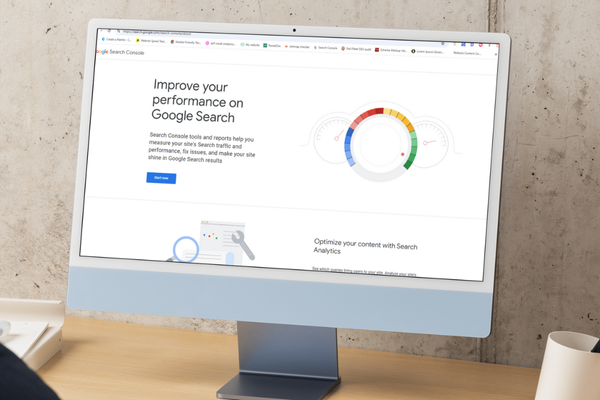
Want to know how your website performs in Google Search? Google Search Console (GSC) is a free tool that shows which searches bring people to your site, which pages appear in results, and where problems may need attention.
What Is Google Search Console?
Google Search Console is a free tool provided by Google that gives you insights into how your website performs on their search engine. Think of it as a health check-up for your site but without the awkward paper gown. It tells you:
What keywords are driving traffic to your site.
If Google has issues crawling your pages.
How mobile-friendly your website is (spoiler alert: this matters a lot).
Whether your site is ranking for the right search queries.
In short, it’s like having access to Google’s own report card for your site — and trust me, you’ll want to pay attention to those grades.
How to Use Google Search Console
Using Google Search Console doesn’t require a degree in computer science. Here’s how you can start using it to your advantage:
1. Understand the Dashboard
Once you’ve set it up (more on that later), you’ll land on a dashboard filled with useful data. From here, you can:
Monitor Performance: Check which pages are getting clicks and which ones aren’t.
Inspect URLs: Find out if Google is indexing your pages correctly.
Fix Errors: Identify issues with mobile usability, crawling, or security.
2. Review the Performance Report
This section is your best friend. It shows:
Clicks: How many people actually click on your site.
Impressions: How often your site appears in search results.
Click-Through Rate (CTR): The percentage of people who saw your site and clicked on it.
Keyword Rankings: The search terms that lead visitors to your site.
3. Submit Your Sitemap
If your site were a book, a sitemap would be the table of contents. Submitting one ensures Google understands your site’s structure and indexes all the right pages.
How Google Search Console Helps Businesses
If you’re running a business in Chandler AZ, or anywhere for that matter, Google Search Console can:
1. Improve SEO
SEO is a big deal for any business that wants to stay competitive. Google Search Console helps by:
Showing which keywords you rank for (and which ones you don’t).
Identifying which pages need optimization.
Tracking your progress over time.
2. Fix Site Issues
Nothing kills a user experience faster than a broken page or slow load time. GSC helps you:
Detect crawl errors.
Ensure your site is mobile-friendly.
Spot security issues like malware.
3. Understand User Behavior
Want to know what your customers are searching for? GSC provides valuable insights into user intent, helping you tailor your content to match their needs.
4. Drive Local Traffic
For businesses offering web design in Chandler, knowing what locals are searching for is gold. Google Search Console can help fine-tune your strategy to target those specific queries.
What Google Search Console Does Not Do
Google Search Console gives you useful data, but it has limits. Here’s what it won’t do:
It Won’t Create Content for You You still need to roll up your sleeves and write those blogs (or hire someone who can).
It’s Not a Traffic Generator GSC shows you how people find you, but it’s up to you to make your site worth visiting.
It’s Not a Paid Tool While it’s free, it doesn’t replace the need for paid SEO tools if you’re looking for deeper insights.
How to Set Up Google Search Console
Setting up GSC is surprisingly painless. Follow these steps:
Step 1: Sign In
Go to Google Search Console and sign in with your Google account.
Step 2: Add Your Property
You’ll need to verify your website. Choose one of these methods:
HTML File: Upload a verification file to your website.
DNS Record: Add a specific record to your domain settings.
Google Analytics: Verify through your Google Analytics account.
Step 3: Submit Your Sitemap
Navigate to the “Sitemaps” section, enter your sitemap URL (usually yoursite.com/sitemap.xml), and hit submit.
Benefits of Using Google Search Console for Your Website
1. Boost Search Visibility
Get your site in front of more eyes by optimizing for the right keywords and fixing errors that could hurt your rankings.
2. Enhance User Experience
Pages that load faster and work on mobile devices keep visitors happy and coming back.
3. Measure Success
GSC lets you track your progress, so you’ll know what’s working and what’s not.
4. Free and Easy to Use
It’s rare to find something free and genuinely useful these days, but GSC is both. No strings attached.
5. Local SEO Perks
For businesses in Chandler, optimizing your site with GSC can help drive local traffic, making it easier for potential clients to find you.
Conclusion
If you’re serious about improving your website’s performance, Google Search Console is a must-have tool in your arsenal. It’s like having a direct line to Google, helping you figure out what’s working, what’s broken, and what needs a little extra TLC.
With my experience in Chandler web design, I can show you how to make Google Search Console work for your site. Whether you need a complete redesign or just some guidance on using GSC, I’m here to help. Ready to level up your web game? Let’s chat!